
While social media is an essential tool for eCommerce brands to drive sales, that doesn’t mean email marketing should be overlooked. It delivers the highest ROI by providing a direct connection with customers through personalized email campaigns, exclusive offers, and timely reminders. Selecting the right email marketing software is crucial for achieving these results.
In this comprehensive guide, you’ll discover:
- Welcome new subscribers with 91.43% open rates – 4x higher than standard emails
- Drive 18x more revenue than broadcasts with relevant emails.
- Transform your transactional emails into sales machines that generate 8x more revenue
Ready? Let’s go!
TL;DR
- Welcome Series: Send 4 emails over 6 days from initial greeting to time-limited offer
- Abandoned Cart: Trigger first email within 1-2 hours with product image and direct link
- Transactional Emails: Add “You might also like” sections to order confirmations
- Product Recommendations: Send recently viewed items within 48 hours
- Re-engagement emails: Re-activate dormant subscribers with offers after 3-6 months of inactivity
- Seasonal Promotions: Create urgency with countdown timers for limited-time offers
- Loyalty Emails: Reward your most loyal customers with early access and special pricing
- Referral Programs: Incentivize both referrers and their friends to spread the word


8 Essential E-commerce Email Marketing Sequences You Can't Skip
Creating a comprehensive ecommerce email marketing strategy means implementing several key automated campaigns. Each serves a specific purpose in your customer journey and together they form a powerful engine for driving sales and building customer relationships.
#1) Welcome Email Sequences
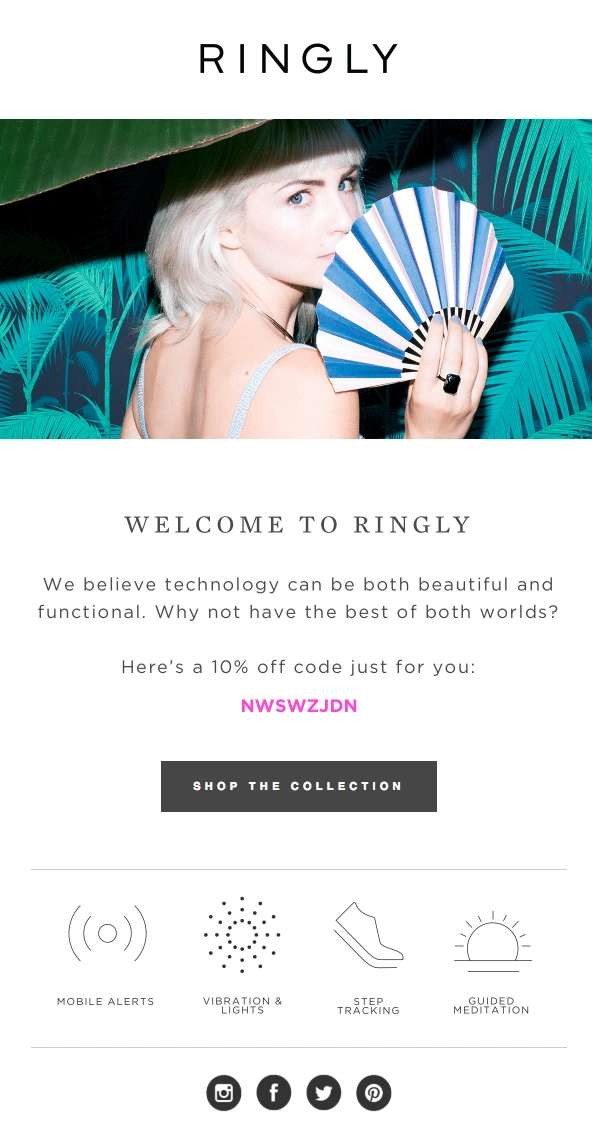

Welcome emails see an average open rate of 91.43%—making them 4x more likely to be opened than standard promotional emails. For any online store, welcome emails are a crucial opportunity to start the customer relationship strong.
Why welcome emails work:
- They reach email subscribers when interest and engagement are at their peak
- They set expectations for future communications
- They provide immediate value to new subscribers
Components of an effective welcome sequence:
| Timing | Key Elements | |
|---|---|---|
| Initial Welcome | Immediate | Warm welcome, setting expectations for future communications |
| Educational Follow-up | 2 days later | Brand story, values, social proof |
| Product Showcase | 4 days later | Best-sellers, categories, benefits |
| Incentivized Offer | 5-6 days later | “10% off on your next order,” to initiate first purchase |
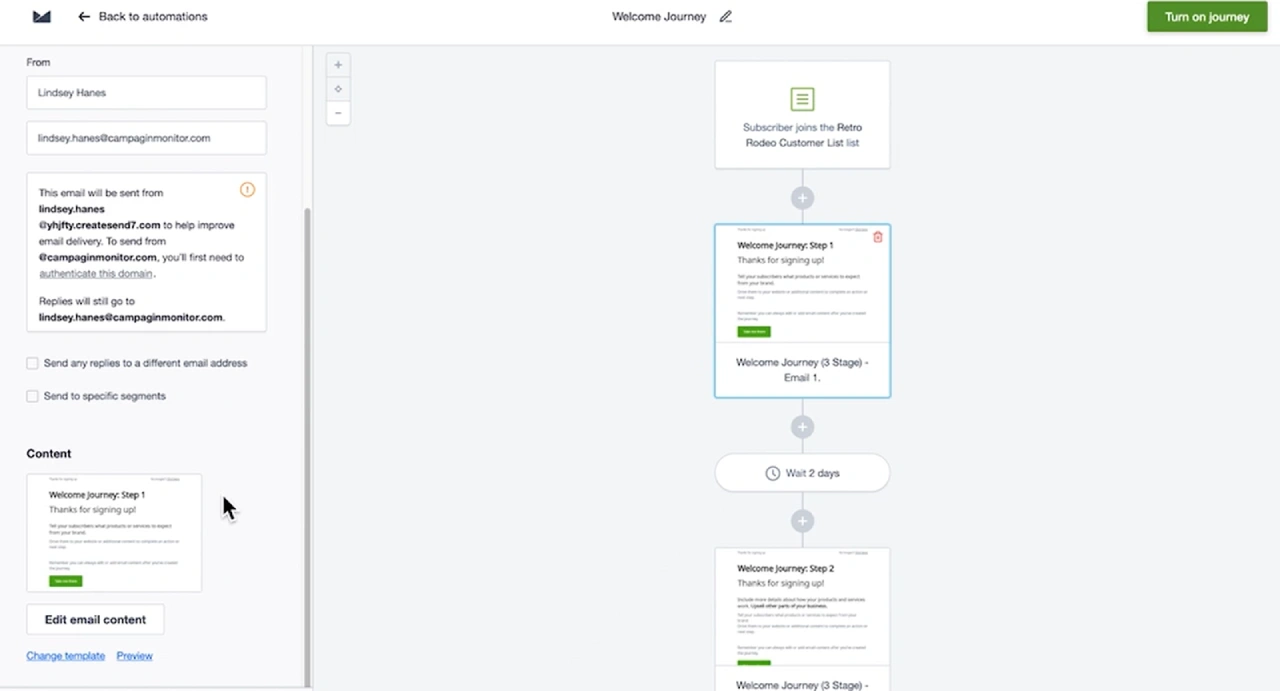
Campaign Monitor’s journey builder makes it easy to create automated welcome emails that are triggered immediately when a subscriber joins your list.

#2) Abandoned Cart Recovery Emails
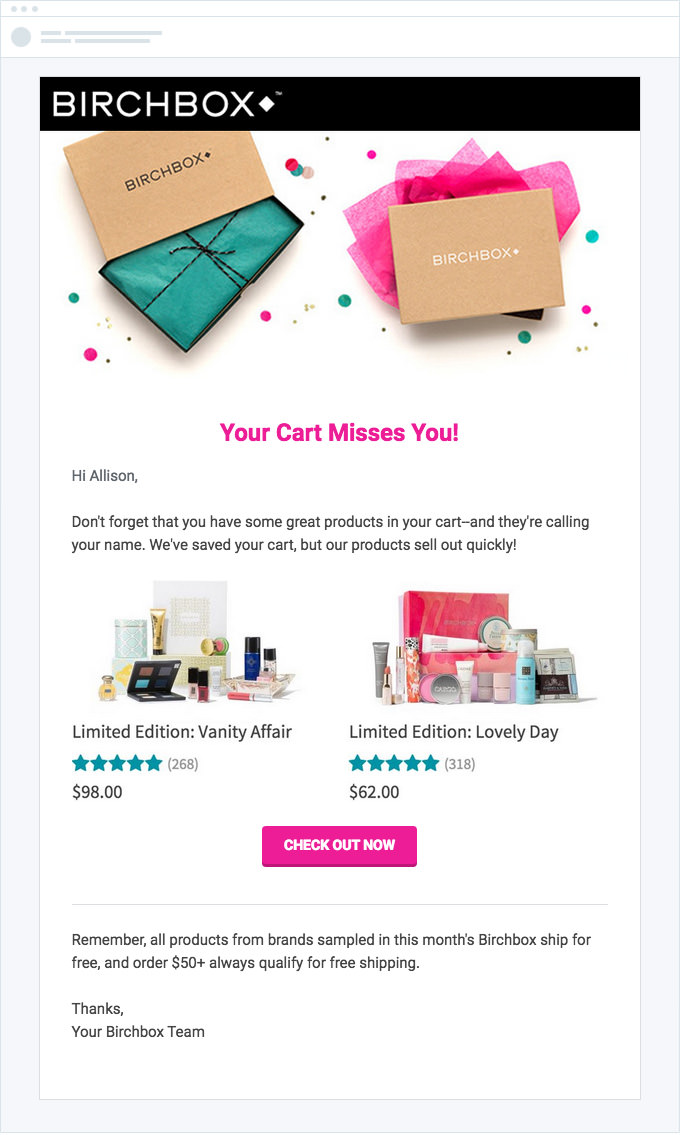

Cart abandonment is a massive challenge for e-commerce stores, with average abandonment rates hovering around 70%. However, automated email strategies, such as abandoned cart emails, can recover approximately 10-20% of this lost revenue by sending timely reminders to customers.
Key statistics:
- Cart abandonment emails have a greater than 10% purchase rate.
- Sending three abandoned cart emails can generate substantially more revenue ($24.9 million) compared to sending just one ($3.8 million)
Effective timing strategy for abandoned cart emails:
| Timing | Conversion Element | |
|---|---|---|
| First Reminder | 1-2 hours after abandonment | Product image + direct link |
| Second Follow-up | 24 hours after abandonment | Limited-time offer or discount code |
| Third Attempt | 48-72 hours after abandonment | FAQs, reviews, offer reminder |
#3) Transactional Emails


Source: ReallyGoodEmails (https://files.reallygoodemails.com/emails/your-coffee-is-on-the-way.png)
Transactional emails are triggered by specific customer actions and typically have the highest open rates of any email type—often 4-8x higher than promotional emails. These operational emails represent significant revenue opportunities when optimized properly.
| Transactional Email | Optimization Strategies |
|---|---|
| Order Confirmation | Add “Frequently bought together” products, include category bestsellers, and offer order upgrades (gift wrap, expedited shipping) |
| Shipping Notification | Add usage tutorials or guides, care instructions, and details for your referral programs |
| Delivery Confirmation | Add one-click review options, request user-generated content, offer an incentive for customer feedback |
| Return/Exchange Confirmation | Suggest alternative products, best sellers from other categories, offer personalized recommendations |
| Account Creation | Include new customer offers, showcase bestselling products, add preference collection survey |
| Password Reset | Add personalized recommendations, include limited-time offers, highlight new products or features |
Use Campaign Monitor’s Unified Email Builder to design transactional messages that are not just on-brand, but also mobile-ready!


#4) Product Recommendation Emails


Source: ReallyGoodEmails (https://files.reallygoodemails.com/emails/we-noticed-you-noticing-us.png)
Product recommendation emails leverage your customer data to suggest relevant items, increasing average order value and repeat purchases.
Product recommendation email framework:
| Email Type | Timing |
|---|---|
| Recently Viewed | 24-48 hours after browsing |
| Complementary Products | 5-7 days after purchase |
| Replenishment | Based on product lifecycle |
| New Arrivals | When new inventory arrives |
| Bestsellers | Weekly or monthly |
#5) Re-engagement Campaigns

Source: Pinterest (http://pinterest.com/pin/44121271344404697/)
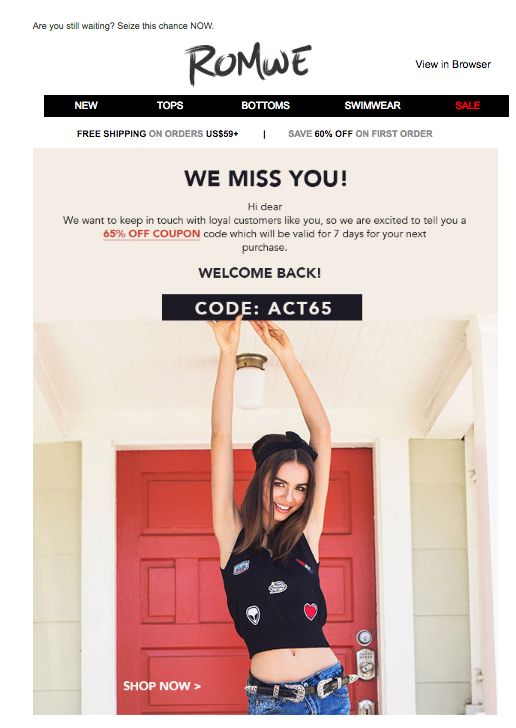
Re-engagement emails can win back dormant customers before they’re gone for good.
Identifying inactive customers:
- No opens or clicks in 3-6 months (depending on your purchase cycle)
- No purchases in 2x your average purchase cycle
- No website visits or other engagement
Re-engagement strategy framework:
| Incentive | |
|---|---|
| “We miss you” | None |
| Special Offer | 10% off on your next order |
| “What went wrong” | Feedback request + Free shipping |
| Last chance | Final offer (your offer expires in 24 hours) |
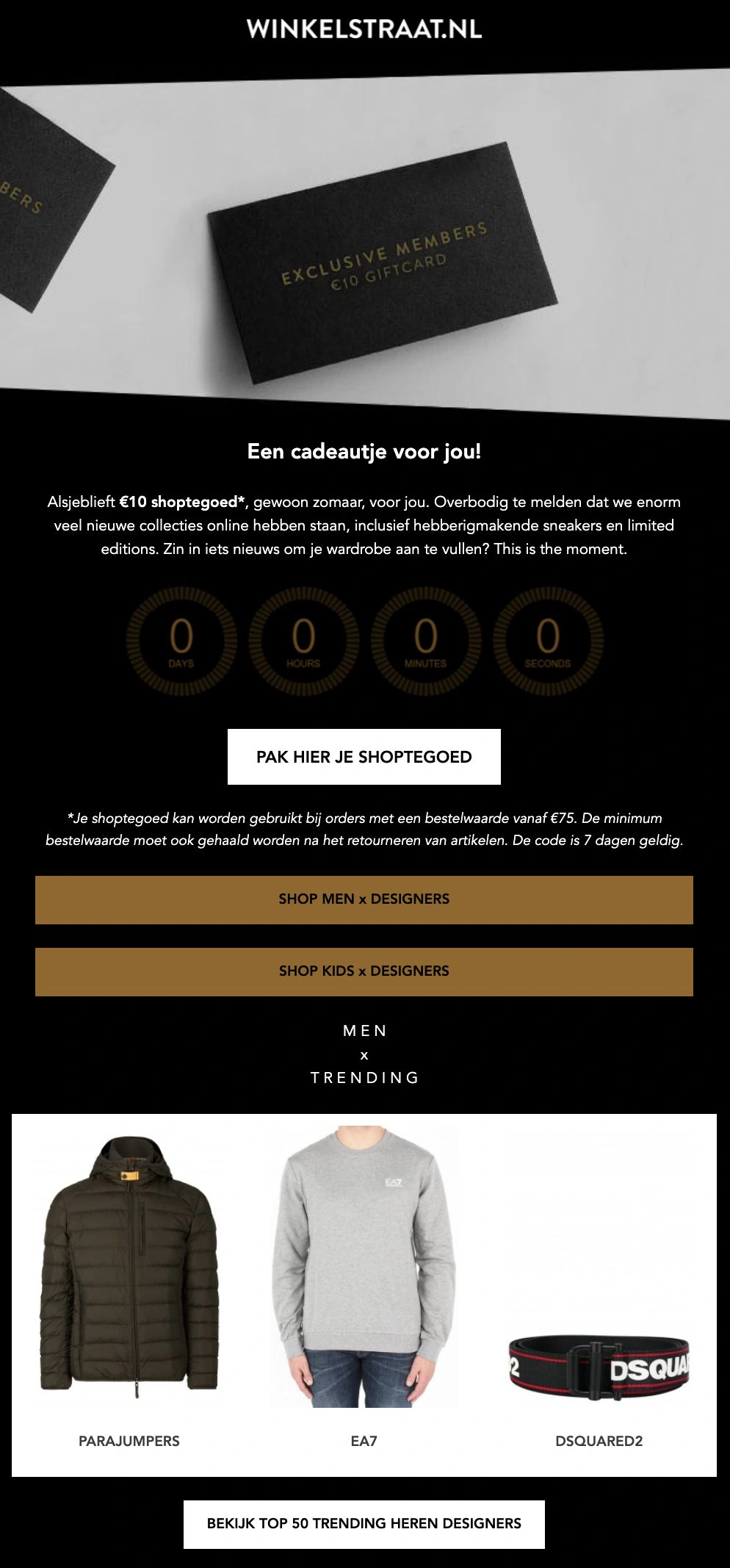
Winkelstraat.nl implemented automated re-engagement emails through Campaign Monitor to revive dormant subscribers, contributing to their impressive results that 24.51% of their total conversions are attributed to email marketing.

#6) Seasonal and Holiday Campaigns


Source: ReallyGoodEmails (https://files.reallygoodemails.com/emails/up-to-60-off-our-favorite-spring-finds.png)
Seasonal campaigns capitalize on shopping holidays, seasons, and special occasions to drive timely purchases.
Key shopping periods to target:
- Major holidays (Black Friday, Christmas, Valentine’s Day)
- Seasonal changes (summer, winter collections)
- Industry-specific events
- Company anniversaries or milestones
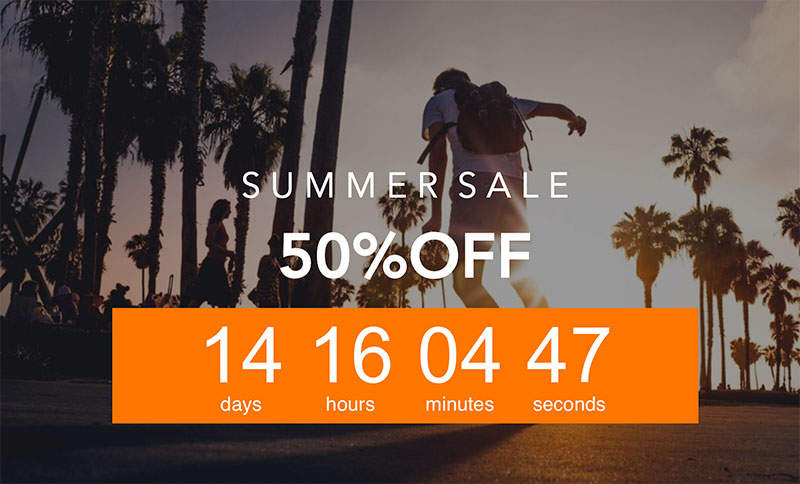
Use Campaign Monitor’s countdown timer block to add real-time urgency to limited-time offers, making your seasonal promotions more compelling.

#7) Loyalty and Retention Emails

Source: Pinterest (https://i.pinimg.com/736x/95/81/b4/9581b4903ed5488e94785650ac088ada.jpg)
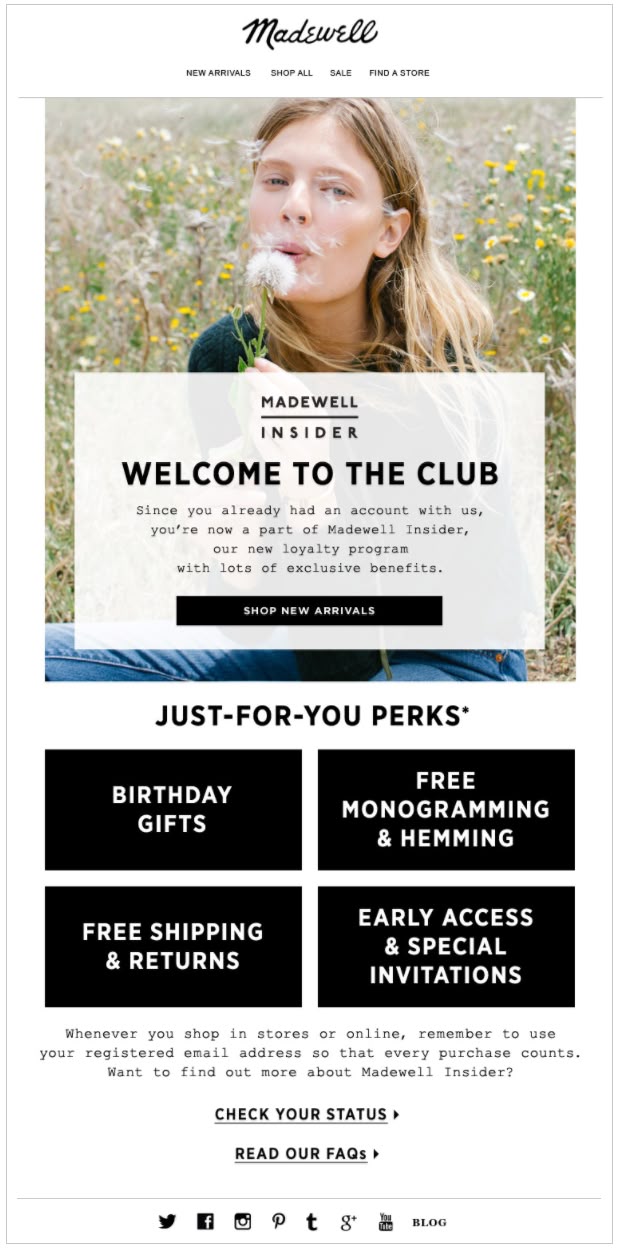
Acquiring a new customer costs 5x more than retaining an existing one. Loyalty emails focus on keeping your best customers engaged and purchasing repeatedly.
Loyalty email flow:
| Timing | Key Elements | |
|---|---|---|
| Program Welcome | Immediately upon enrollment | Tier structure overview, point earning mechanisms, first reward opportunity |
| Points Update | After each purchase | Updated points balance, progress to next tier/reward, personalized product recommendations |
| Reward Available | Upon reaching the redemption threshold | Congratulatory message, clear redemption process, expiration date if applicable |
| Tier Upgrade | Upon reaching the new tier | Benefits of new tier, exclusive perks unlocked, preview of next tier benefits |
| Anniversary Email | One year in the program | Year in review stats, total points earned/redeemed, special anniversary reward |
| Points Expiration | 2-4 weeks before expiration | Expiration warning, redemption suggestions, quick earning opportunities |
#8) Referral Email Campaigns
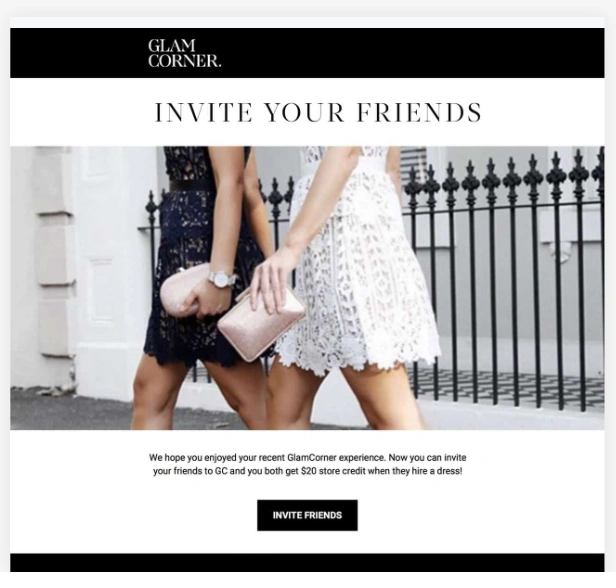

Referral programs turn your existing customers into brand ambassadors. These campaigns leverage the trust between friends and family to acquire new potential customers at a fraction of traditional acquisition costs. Research shows referred customers have 16% higher customer lifetime value.
| Timing | Key Elements | |
|---|---|---|
| Referral Introduction | 2-3 weeks after purchase | Clear incentive structure, Simple sharing process |
| Reminder | 7 days after intro | Reminders, Testimonials from referrers, One-click sharing options |
| Reward Notification | Immediately after successful referral | Reward confirmation, Thank you message, Encouragement to refer more |
Read Next:
Email Marketing for Ecommerce Brands - 8 Proven Strategies to Implement
Implementing the right email marketing strategies can transform your ecommerce store, turning casual browsers into loyal customers and one-time buyers into repeat purchasers. Let’s explore actionable tactics that drive measurable results.
#1) Growing your list strategically
Building a quality email list is the foundation of successful e-commerce email marketing. Without a steady stream of engaged subscribers, even the best email marketing campaigns will fall flat. Focus on attracting high-intent subscribers who are genuinely interested in your products rather than simply chasing large numbers.
- Optimize your signup forms – Place them strategically at checkout, in the footer, and as exit-intent popups to capture visitors at different stages of engagement
- Create irresistible lead magnets – Offer a discount (10-15% is standard) or free shipping on first orders to incentivize signups
- Add signup opportunities at checkout – Make it easy for customers to join your list during purchase with a prominently displayed opt-in
- Run targeted social campaigns – Create dedicated lead-generation campaigns on platforms where your audience spends time
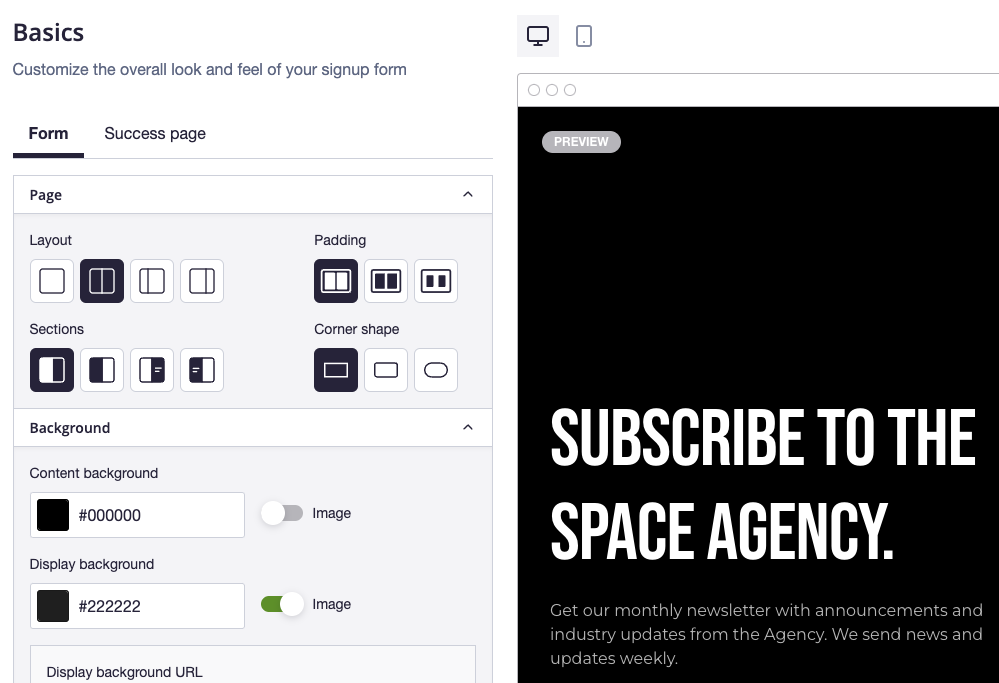
Campaign Monitor’s custom form builder allows you to create responsive signup forms that match your brand’s aesthetic—adjusting colors, fonts, and fields without any development work needed. Their landing page forms also make it easy to collect customer data directly while maintaining a consistent brand experience.

#2) Segmenting your audience for maximum impact
Generic, one-size-fits-all emails are a thing of the past. Today’s consumers expect relevant messages that speak to their specific needs and interests. Segmentation allows you to deliver more targeted messages that drive significantly higher engagement and conversion rates.
- Segment by purchase history – Create groups based on products purchased, categories browsed, and average order value
- Divide by engagement level – Separate highly engaged subscribers from those who rarely open emails to tailor frequency and content
- Group by customer lifecycle stage – New subscribers, first-time buyers, repeat customers, and VIP customers should all receive different messaging
- Segment by browse behavior – Track product views and category interests to send targeted recommendations
- Create geographic segments – Tailor promotions based on location, weather, or regional preferences
Campaign Monitor’s advanced segmentation tools let you group subscribers by location, interests, and behaviors. You can even create custom segments based on your contact’s unique activity like their total spend, loyalty point accumulation, or a specific purchase made.


#3) Personalizing your emails
Modern e-commerce email marketing leverages customer data to create truly individualized experiences that make subscribers feel understood and valued. Personalized email campaigns drive significantly higher engagement and revenue.
- Recommend products based on browse history – Show items similar to what customers have viewed but not purchased
- Create replenishment emails – For consumable products, time emails to arrive just before customers need to reorder
- Personalize send times – Deliver emails when individual subscribers are most likely to open them based on past behavior
- Customize content blocks – Use dynamic content to show different images, products, or offers based on subscriber data
- Tailor messaging to purchase history – Acknowledge and reference previous purchases to create continuity in the customer relationships
Alongside Campaign Monitor, Brands that love making money should send SMS cart recovery texts and answer customer questions via SMS marketing apps like TxtCart.
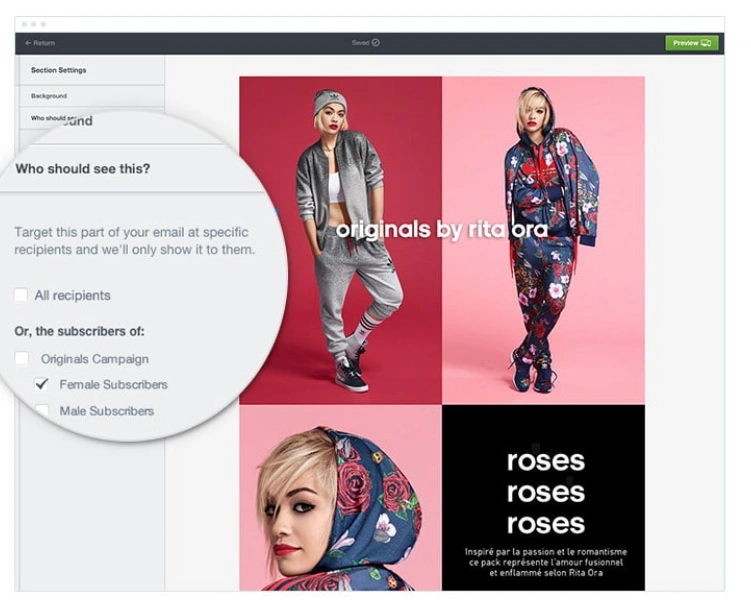
Campaign Monitor’s dynamic content blocks allow you to show different content based on customer preferences without creating multiple versions of the same email. The helps deliver tailored product suggestions with no manual efforts!

#4) Designing Mobile-Friendly Email Campaigns
Mobile optimization is no longer optional for e-commerce email marketing. With over 60% of emails now opened on mobile devices, ensuring your campaigns look and function perfectly on smartphones is essential for driving conversions. Poor mobile experiences lead directly to lost sales and increased unsubscribes.
- Use responsive templates – Ensure your emails automatically adjust to any screen size
- Keep subject lines short – 41 characters is the optimal length for a subject line
- Make CTAs large and tappable – Buttons should be at least 44×44 pixels with plenty of white space around them
- Use larger fonts – Body text should be at least 14px, headlines at least 22px
- Optimize images for quick loading – Compress images and include descriptive alt text
- Test across multiple devices – Check how your emails appear on different phones and email clients before sending
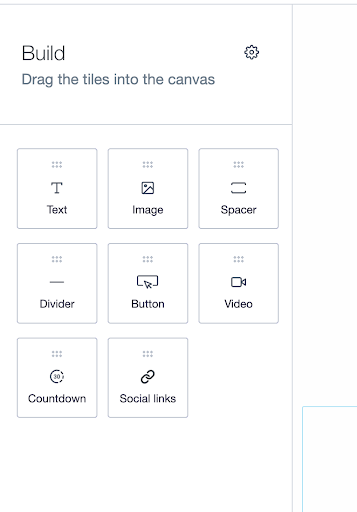
Campaign Monitor’s drag-and-drop email builder makes it easy to create professional, mobile-optimized emails without any coding knowledge. You can also choose from the library of responsive templates, which are fully mobile-optimized out of the box.

#5) Automating your email marketing campaigns
Automation is the secret weapon of successful e-commerce email marketing. By setting up triggered email sequences, you can deliver the right message at exactly the right moment in the customer journey, driving conversions while saving countless hours of manual work. These “set and forget” campaigns generate revenue around the clock.
- Welcome series – Create a 3-5 email sequence introducing new subscribers to your brand, products, and unique selling points
- Abandoned cart recovery – Trigger a series of 2-3 emails when shoppers leave items in their cart, with the first email sent within 1-2 hours
- Browse abandonment – Send targeted emails when customers view products multiple times without purchasing
- Post-purchase sequence – Follow up with shipping updates, usage tips, cross-sell recommendations, and review requests
- Re-engagement campaign – Win back inactive subscribers with special offers or compelling content before removing them from your list
Campaign Monitor’s journey builder makes it easy to create automated journeys and behavior-triggered workflows that deliver timely, personalized messages. The automation features allow you to trigger cart abandonment emails and set up automated post-purchase sequences or even welcome series that drive repeat purchases without ongoing manual effort.
#6) Measuring and optimizing
The most successful e-commerce email marketers are relentlessly data-driven. By closely tracking performance metrics and continuously testing new approaches, you can identify what resonates with your audience and steadily improve results over time. Even small improvements in key metrics can translate to significant revenue gains.
| Metric | Improvement Strategies |
|---|---|
| Open Rate | A/B test subject lines, segment by engagement level, optimize send time, clean your list regularly |
| Click-Through Rate (CTR) | Use fewer, more targeted CTAs, improve visual hierarchy, add social proof near CTAs, test button colors and text |
| Conversion Rate | Improve landing page experience, ensure mobile optimization, add urgency elements, strengthen offer value |
| Revenue Per Email | Increase average order value, improve product recommendations, test higher-value offers, target high-value segments |
| List Growth Rate | Optimize form placement, test different lead magnets, implement referral campaigns, add post-purchase signup options |
| Unsubscribe Rate | Implement preference center, segment by engagement, vary content types, test reduced frequency |
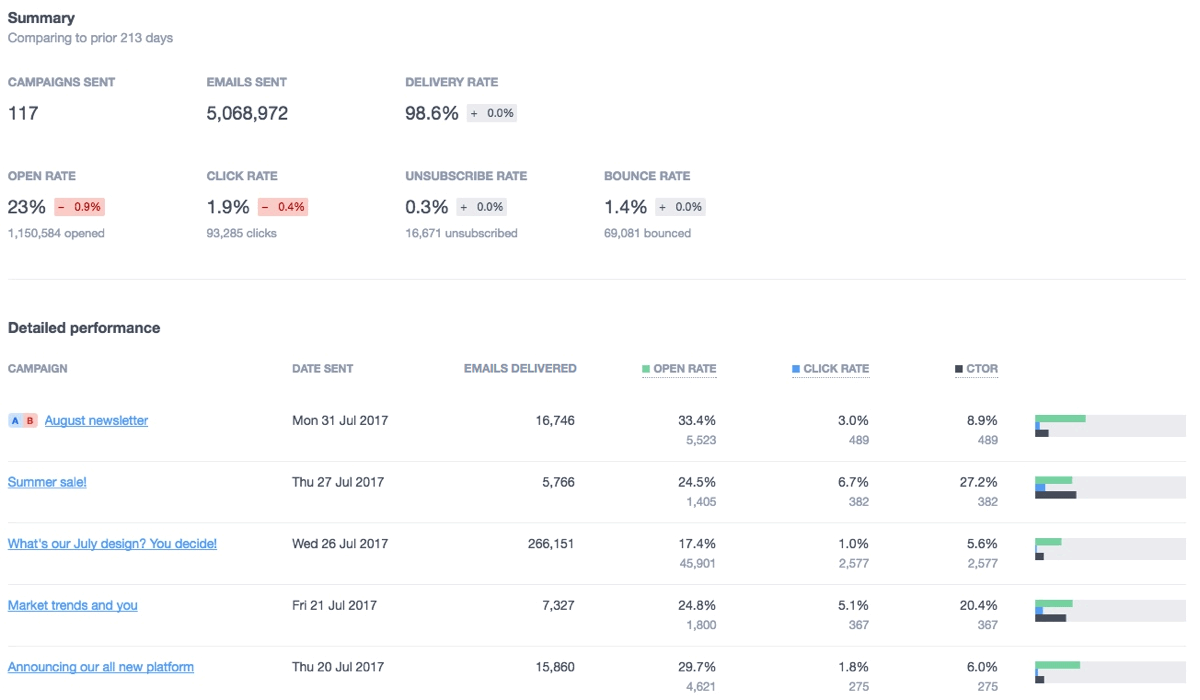
Campaign Monitor’s analytics dashboard allows you to monitor campaign performance in real-time with full engagement reports for metrics like opens, clicks, bounces, and unsubscribes. And the A/B testing engine makes it easy to optimize results by testing subject lines, content blocks, or CTAs based on real user behavior.

Read More:
Now That You've Mastered Email Marketing Strategies - Meet Campaign Monitor
Email marketing isn’t just another tactic for your ecommerce business—it’s one of your most valuable digital assets With the strategies we’ve covered, you’re now equipped to build email campaigns that drive consistent revenue and foster lasting customer relationships.
Key takeaways:
- Start with automation – Set up the core sequences (welcome, abandoned cart, post-purchase) to generate revenue while you sleep
- Personalize everything – Use customer data to create relevant, timely messages that convert
- Test continuously – Small improvements in open rates and conversions compound over time
- Focus on deliverability – Even perfect emails fail if they don’t reach the inbox
Campaign Monitor makes implementing these strategies straightforward. Personalize campaigns, automate customer journeys, and optimize performance with testing tools—all to boost engagement and ensure reliable deliverability.
Read Next:
- How GlamCorner Achieved 3000% ROI with Email Marketing Using Campaign Monitor
- 24.51% of Winkelstraat.nl‘s conversions are driven by email via Campaign Monitor