Email Signup Forms FAQs
Here are answers to frequently asked questions about how signup forms can help you build meaningful relationships with your audience and grow your business.
How can signup forms help grow an email list?
Signup forms convert website visitors, social followers, and ad traffic into email subscribers. Every place someone encounters your brand is an opportunity to capture their interest, and a well-placed form turns that moment into a lasting connection.
Campaign Monitor connects forms directly to your subscriber lists and automation workflows. The moment someone opts in, they’re added to the right list and receive any automated messages you’ve set up for new subscribers. You can also use forms to capture preference data up front, automatically segmenting new subscribers based on their interests from day one. That early segmentation pays off quickly, as subscribers who receive relevant content right away are more likely to engage, and that engagement compounds over time.
What is a hosted signup page?
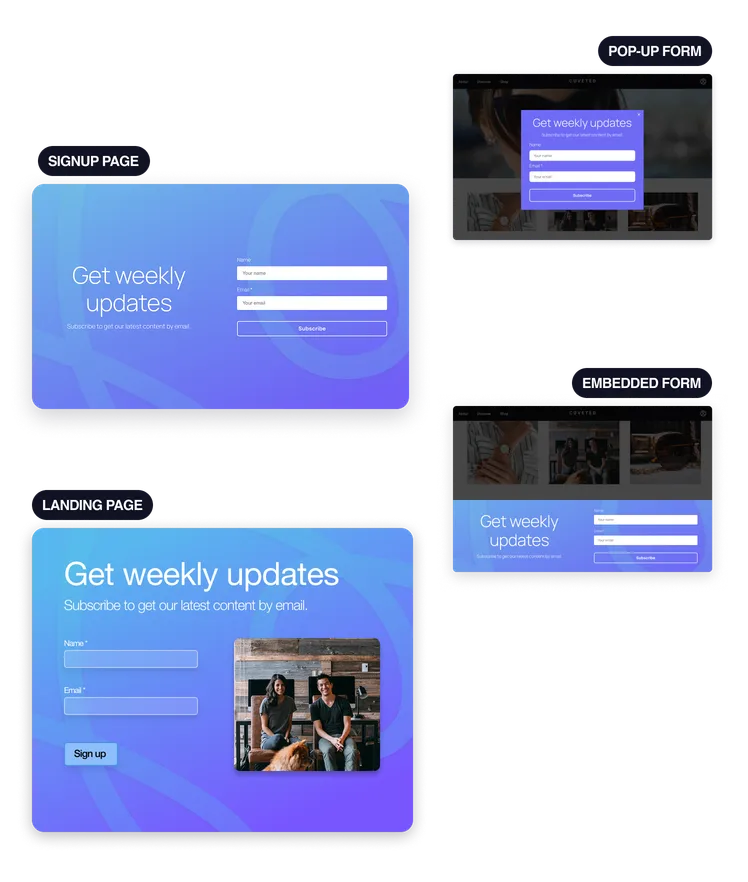
A hosted signup page is a stand-alone, branded page that Campaign Monitor hosts for you, complete with its own shareable URL. Drop that link into a social media bio, email signature, paid ad, or QR code, and anyone who clicks lands on a clean, focused page ready to capture their details.
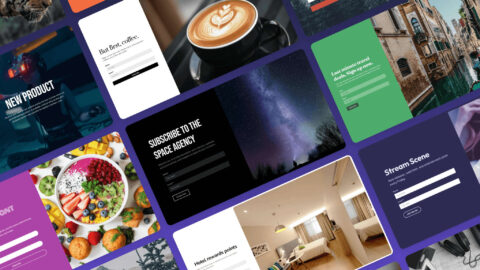
Building one takes minutes. Campaign Monitor’s drag-and-drop editor gives you access to premade templates along with full control over layouts, fonts, colors, background images, and gradients to match your brand. Hosted pages work especially well for campaigns, product launches, or any situation where a distraction-free signup experience makes sense. Because the page lives independently of your website, it’s also fast to spin up and easy to update as your campaigns evolve.
What is a hosted landing page?
A hosted landing page is a stand-alone signup page that’s more customizable than a standard hosted signup page. It’s designed for campaigns where the signup experience needs to feel more polished, focused, and fully aligned with your brand, such as ad campaigns, lead magnets, event signups, or limited-time promotions.
Campaign Monitor’s hosted landing pages give you flexible design options so you can create a page that reflects your brand and supports the action you want visitors to take. You can start with available templates, customize the creative experience, and manage the page directly by publishing, unpublishing, or deleting it as needed. Hosted landing pages offer the most flexibility in Campaign Monitor’s form suite. They’re a strong choice when you want a dedicated destination built around one clear conversion goal.
What is an embedded signup form?
An embedded signup form is a form placed directly on your website, typically in the footer, sidebar, or body of a blog post or landing page. It lives as part of the page experience, visible to anyone browsing that area of your site.
For visitors who are already reading your content or exploring your products, an embedded form offers a natural, low-friction way to subscribe. Campaign Monitor’s embedded forms are fully customizable, letting you adjust the layout, colors, fonts, and fields to match your site. Each submission connects directly to your subscriber lists, and new subscribers canbe automatically segmented based on which form they used, so your follow-up messaging is relevant from the first email.
What is a pop-up signup form?
A pop-up signup form is an overlay window that appears on top of a webpage to present an invitation to the visitor. Pop-up forms are effective at capturing attention and driving conversions. You can control when the form appears. For example, it can appear when a visitor is about to leave the site, after being on the page for a certain amount of time, or after scrolling to a certain point. This control allows you to present a timely and relevant invitation to subscribe, which can help you capture leads you might otherwise miss.
What information should I ask for on a signup form?
Start with an email address. A first name is helpful if you plan to personalize your campaigns, and it adds minimal friction for most subscribers.
Beyond that, be selective. Every additional field is a small ask, and the length of the form has a measurable effect on how many people complete it. If you need more information for segmentation, like location or interests, be clear about the value you offer in return. You can always use preference centers or future campaigns to gather more data from your subscribers.
What makes a signup form effective at driving conversions?
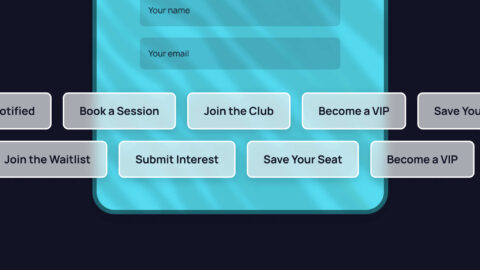
An effective signup form combines strategic design with compelling copy. The form should be clean, on-brand, and easy to fill. The call-to-action button should stand out with a contrasting color and feature clear, action-oriented text such as “Subscribe Now” or “Get Updates.”
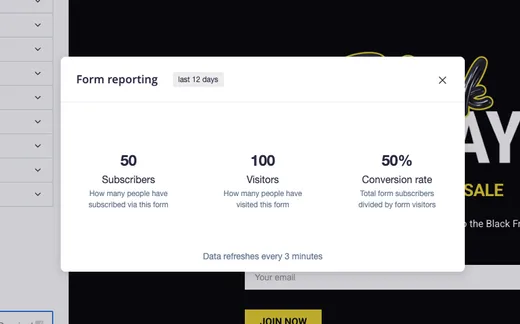
Placement carries equal weight. A form that appears at a natural decision point, whether mid-article, after a product description, or through a well-timed pop-up, performs stronger than one that gets buried. Campaign Monitor’s built-in reporting tracks conversion rates across your forms, so you can test placements, compare results, and make informed decisions based on real data. Small, deliberate adjustments to copy, placement, and timing consistently add up across the life of a campaign.
What metrics should be tracked for signup form performance?
You should track views, submissions, and conversion rate. Views show how many people saw the form, submissions show how many subscribed, and the conversion rate reflects how well the form itself is performing by dividing submissions by views. Campaign Monitor’s forms come with reporting so you can review performance and consider making changes to improve if necessary.
A low conversion rate points to the form itself, whether that’s the copy, the fields, the placement, or the call to action. Low view counts point upstream to traffic volume or form visibility on the page. Tracking where subscribers are coming from is also worthwhile. When one form consistently outperforms others, that information can shape how you approach placement across the rest of your site.