Introduction
This article was first published in November 2015, updated in April 2019.
Imagine you’re launching a brand new product and you want to email your customers about it. You create the email, add in beautiful imagery, and everything is ready to go.
But, just as you’re about to send it, you realize your list is out of date. If you were to send the campaign now, hundreds of your customers may not receive it, and you’d miss valuable click-throughs and potential revenue or sales.
It’s a problem many marketers face, but there is a solution: integrating your email marketing tool with your other business apps.
Read on to discover why you need to integrate your email marketing tool with the other applications you use to run your business, as well as examine some of the advanced email campaigns you can send once you’ve got your systems integrated.
Chapter 1
What are integrations?
Before learning how to integrate your email with other apps, it’s probably a good idea to learn what integrations are.
Integrations for email are like augmentations. By itself, email is only able to accomplish a certain range of activities, but, with integrations, its capabilities can be expanded to do more.
These integrated emails can do things like automate campaigns, target VIPs, and re-engage subscribers.
Simply using email with its basic functionality may get you somewhere in the world of email marketing, but you’re missing out on a lot of unique features by ignoring integrations.
In fact, it could mean the difference between a good email marketing campaign and an exceptional one.
Chapter 2
Why should you integrate your email?
Email marketing is the most effective marketing channel around today. In fact, according to a recent study by Brafton, email has the highest ROI of any marketing channel, beating out social media, paid search, TV, and radio, among others.
But your organization’s success with email marketing largely depends on the quality and data in your email lists.
In fact, research shows that marketers who have in-depth information on their subscribers and are using it to segment their lists and send targeted campaigns receive a 760% increase in email revenue over those that aren’t.
But how can you make sure your lists are always up to date? And how can you ensure you have in-depth data about each of your subscribers ready to use in your campaigns?
The answer to both of these questions is integration, as it’s likely you actually have the information you need; It just lives in other systems or apps you are already using. Now you just have to get them all working together.
For sales organizations, that data might live in your CRM tool, or, for online retailers, that data will likely exist in your chosen ecommerce platform.
By integrating these tools with your email marketing solution, data is made automatically available to help you segment your lists, add dynamic content to emails, or even trigger automated email campaigns to customers.
All of this makes for more relevant and appealing email campaigns that ultimately drive more revenue for your business.
Chapter 3
Benefits of integrating your email marketing and CRM
By integrating your email marketing with CRM (customer relationship management), your email marketing skill automatically improves.
CRM allows you to centralize your email marketing infrastructure in a single, easy-to-manage hub. From this hub, you’re able to communicate, schedule, and organize more easily than ever before.
With this new tool, you’re able to connect with and understand your customers in a way that wouldn’t otherwise be possible, which can result in further engagement.
Another great feature of CRM is that it allows you to share your email information with other members of your marketing team with ease. Communication is an important part of running a team, and CRM supplements that process.
CRM won’t even change your email layout; It simply adds to it.
Chapter 4
What kind of CRM should you use?
If your business has salespeople driving new customer acquisition, chances are there is a wealth of information in your CRM system that could be used to fuel smart, powerful email marketing campaigns that help close more deals and increase revenue for your business.
Salesforce, the world’s most popular CRM, is known for its enterprise sales, marketing, and service platform, but turns to its partner ecosystem for email marketing apps.
By integrating CRM tools like Salesforce with Campaign Monitor, it’s simple to automatically sync contact information between the two systems, including a contact’s name, email address, sales cycle stage, contact owner, and all of your other custom fields. You can even utilize your custom fields, like propensity to buy or product interest, to target and personalize the campaigns you send.
With these rich customer insights from Salesforce now flowing continuously to your email marketing tool, you can then use Campaign Monitor features to build a modern, on-brand email campaign—without a line of code or ever leaving Salesforce.
All email activity is then tracked right inside the Salesforce contact record, so salespeople have visibility into the email campaigns that marketing is sending and can see how prospects are engaging with those email campaigns.
To help get you started, here are a few ideas for email marketing campaigns you can send to help close new deals and/or drive more business from your existing customers.
When is the best time to send email campaigns?
Coming up with successful email campaigns isn’t just crafting great content. There are many variables that must align to create an engaging campaign.
One of the most important variables is your timing, as not everyone is on their email at all times. There are certain portions of the day and week that people are more likely to check their email and engage with content.
Based on research, the best time to catch people checking their inbox is during the workday, especially in the earlier half. Once evening comes around, views begin to peter out.
Most open rates occur between 9 a.m. and 5 p.m., so make sure to get those emails out at some point during the day. Lunchtime is also a dead zone.
Convert prospects to customers.
According to research, over 50% of leads generated are qualified but not yet ready to buy. As a marketer, it’s likely your responsibility to guide these leads down the funnel to purchase. An email marketing campaign is an extremely effective way to do this.
By integrating your CRM and email marketing tool, you can set up a series of automated lead nurturing emails that go out to prospects containing guides, videos, and customer case studies.
This will help them learn about how your product can benefit them, moving them further down the buying cycle until they are ready to be closed by your sales reps.
Here at Campaign Monitor, we use our own email marketing tool to do this. When a potential customer becomes a lead by downloading one of our free content pieces, we synchronize their email address into our Campaign Monitor account and guide them toward trying our email marketing solution.
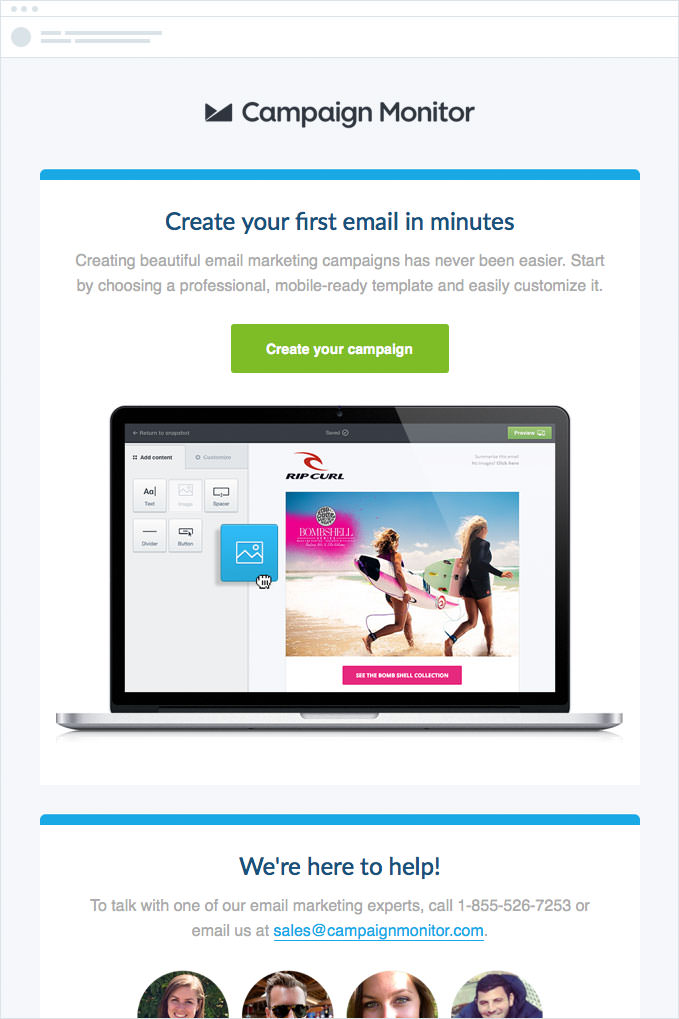
The initial email of the series aims to drive adoption with a clear call to action to create a campaign inside Campaign Monitor. And, for those who need assistance getting started, we introduce our team of email marketing specialists and a few ways to contact them.
The subsequent emails in this series contain an assortment of helpful resources—videos, case studies, and more—to ensure those interested in Campaign Monitor feel 100% comfortable using it and understand the value it brings to their business.
Upsell and cross-sell promotions
The potential for revenue doesn’t end once you’ve successfully converted a lead to a customer.
Once you’ve closed a customer, your CRM contains all the information around which products your customers have purchased, enabling you to target certain customers with promotions for other products and services they haven’t purchased.
By integrating your CRM with your email marketing tool, you can send highly relevant campaign offers about these other products.
If you don’t have multiple products to sell, you could also target customers with additional services, such as a paid support option or an additional consultation offer.
Event invitations
Events are an excellent way to educate your prospects about both the value your products offer and to up-sell other products to existing customers. Email is the single most effective way to send an invitation to your leads and contacts.
If you’re running a live event or exhibiting at a trade show, you can build a targeted campaign by geography. For example, if you’re hosting a dinner in Austin, you can easily create an email list containing all your contacts in the neighboring zip codes. This way, you target only the individuals who can realistically attend the event.
If it’s an on-demand event—such as an online webcast—you can target your contacts based on product interest or where cross-sell/up-sell opportunities exist.
By integrating your email marketing solution with your CRM, you can create a list of prospects who share the same product interest and invite them to an online event about that topic.
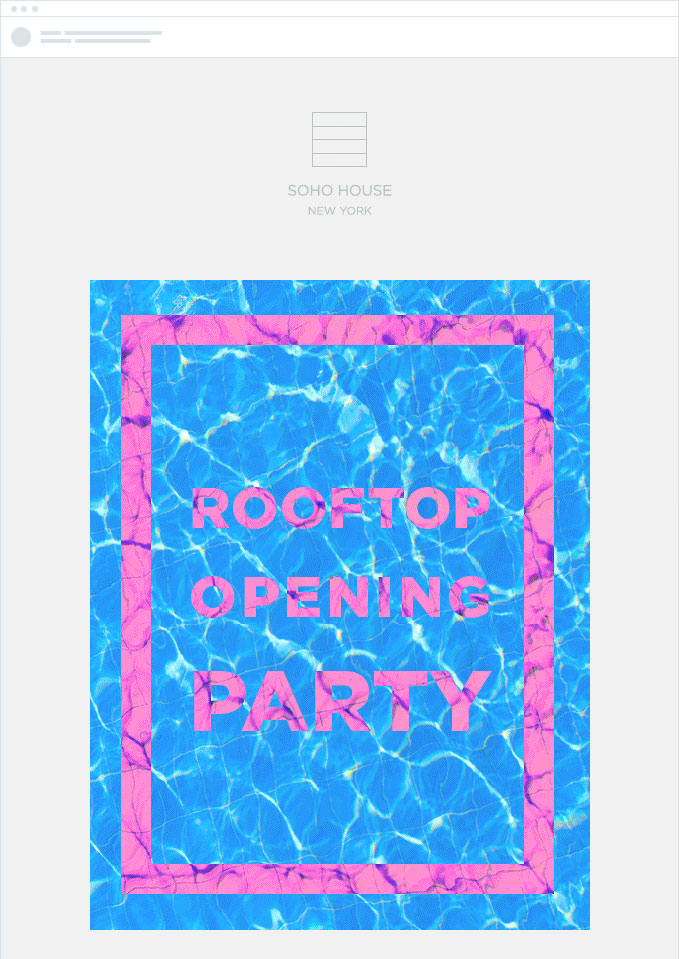
With multiple locations around the globe, Soho House has to be hyper-targeted in how they invite their guests. It wouldn’t make sense to invite all their CRM contacts to an event in Chicago.
Rather, they can segment their list to invite only those contacts within driving distance of the event by creating an email list by area code.
Chapter 5
Ecommerce platform
If you run an online store, chances are that you’re collecting order details like items purchased, amount spent, purchase frequency, and more.
These insights into your customer’s spending patterns can be useful for segmenting your lists and sending highly relevant campaigns, so making it available in your email marketing tool is a great step towards driving more revenue from your email marketing.
Through various connectors, an email marketing tool like Campaign Monitor can integrate with all the popular ecommerce platforms, including Shopify, BigCommerce, WooCommerce, and more.
Following are some ideas for email marketing campaigns you can send when you integrate your ecommerce platform and your email marketing software:
Targeted promotions and special offers
When you have new products arriving or a promotion approaching, rather than sending your offer to your entire subscriber base, you should be segmenting your list and targeting the campaign to those who you know will be interested.
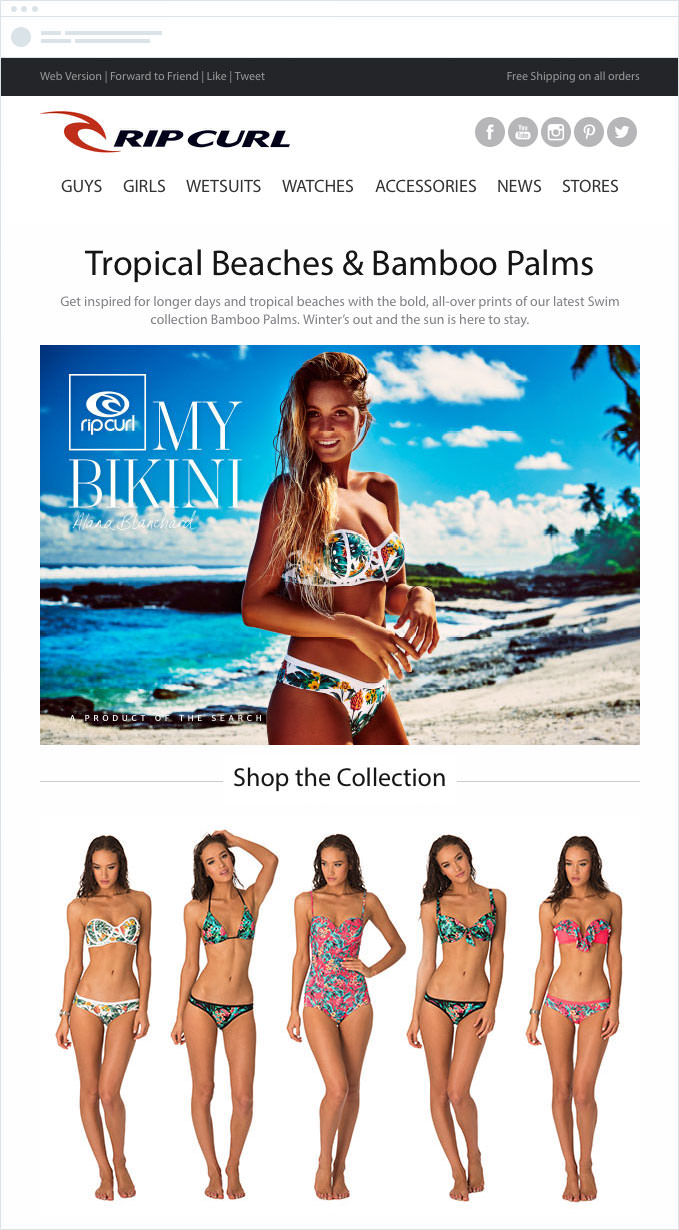
Rip Curl has a vast line of apparel for men and women, and they have enough information in their email marketing platform to identify who their male and female subscribers are, so they can send them appropriate updates on new arrivals.
This information ensures the content of their campaign is relevant to recipients, and increases the number of opens, clicks, and sales they get from the campaign.
Once you’ve connected your email tool and ecommerce platform, this kind of targeting is simple.
You can create segments and send different campaigns to each segment of your list or send the same campaign, but use Dynamic Content to show relevant offers and promotions to subscribers based on what you know about them.
Birthday emails with special offers
A birthday is an exciting time for anyone, and also a time in which people are willing to treat themselves.
By integrating your ecommerce platform, you can automatically pass your customer’s date of birth into your email marketing software and then set up automatic emails that go out to your customers with a special offer or discount for their birthday.
Examine this email by Chandon, for example.
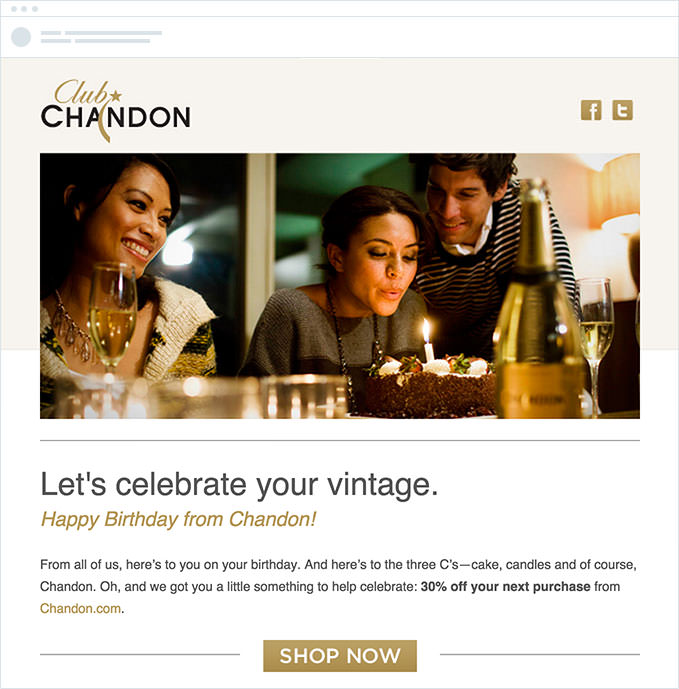
Not only does the email show they care about their customers by wishing their subscribers a happy birthday, but it also provides the customers with a relevant offer that encourages them to make a purchase.
Request for feedback
Collecting customer feedback is the best way to continuously improve the user experience with your online store.
By integrating your ecommerce platform with your email service provider, you can automatically generate a post-purchase survey to learn about their experience and how you can improve it.
Online survey tool GetFeedback enables you to create an engaging and mobile-ready survey in just minutes so you can see your customers’ feedback in real time.
Fiji Airways understands the value of listening to their passengers and sends a post-trip survey email to better understand how they can improve:
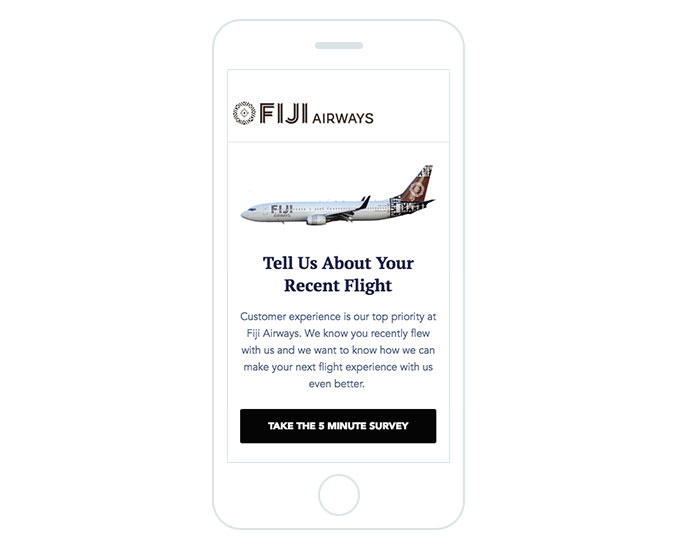
Since they’re trying to reach passengers who are traveling, it’s critical that their emails are mobile optimized. The above email clearly directs their audience to take the 5-minute survey, which can easily be completed from the passenger’s taxicab or hotel room.
Chapter 6
Website and landing pages
Like most marketers, you probably have a website designed to help you drive revenue for your business.
By integrating Campaign Monitor with a website management system like WordPress, Drupal, Joomla, Kentico, or Unbounce, you can add signup boxes to a page to capture additional subscribers.
Whether you achieve that by capturing leads through contact forms or by selling products directly on your website, it’s important that you use the information people enter into your site to fuel smart, powerful email marketing campaigns that grow your business.
Following are a few ideas for targeted campaigns you can send when you integrate your website with your email marketing tool:
Newsletter subscription
Oftentimes, someone will visit your website in search of more information about your products and services, but aren’t yet ready to purchase. For these visitors, it’s critical to make signing up for an informative newsletter easy so they get the information they need.
NAU’s newsletter subscription form is the first thing their website visitors see when they visit www.nau.com:
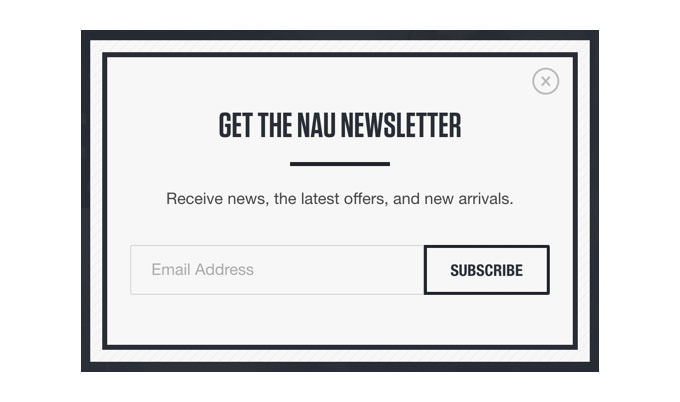
Nau asks for a single piece of contact information: an email address. And, when your email service provider is integrated with your website, each new signup will be automatically added to your newsletter list.
Read on to learn how you can make the most of having your website visitors’ email addresses.
Automated welcome series
Once you’ve collected your website visitors’ email addresses, you can then drop them into a welcome email series to keep your brand fresh on their minds.
Nau’s newsletter, “Off the Grid,” serves to keep their contacts informed about new products, special offers, interesting interviews, and discussions about relevant topics to their subscribers.
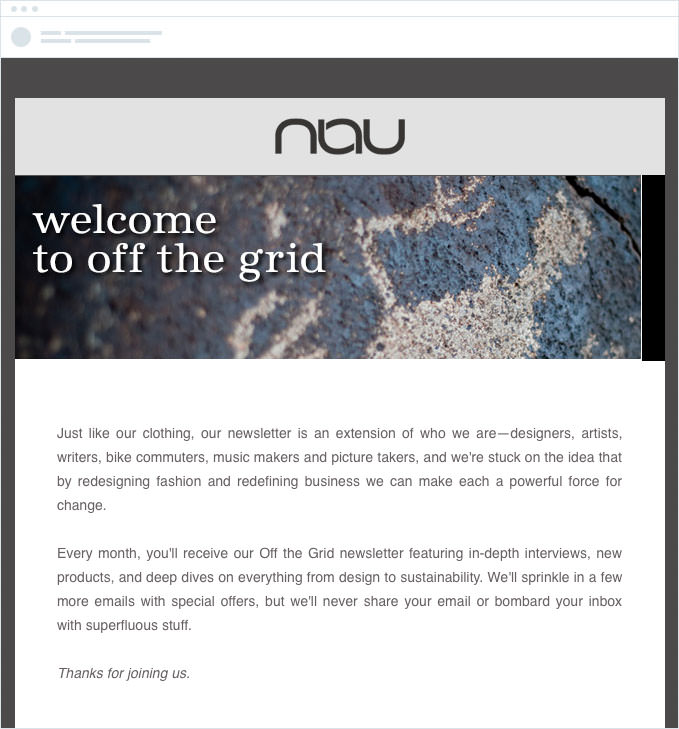
Their initial newsletter is transparent about exactly what type of content the newsletter will contain, its cadence, and provides an opportunity to opt out of future communications. The newsletter is less about selling product and more about sharing content that interests their readers.
New content updates
If you use content marketing to attract and convert new customers, email is one of the most critical methods for building your audience.
By integrating your blog with your email marketing tool, you can automatically send out email campaigns to subscribers when new blog posts are published.
Freshbooks does a great job of this:
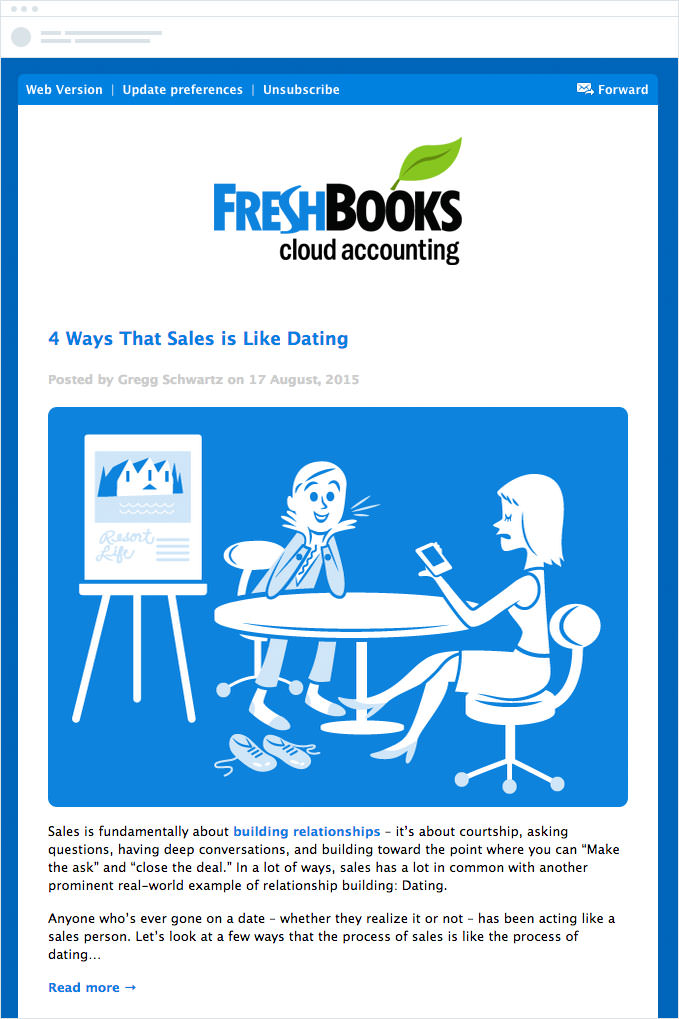
Each time Freshbooks publishes a new post on their blog, an email like the one above is automatically generated and sent to subscribers. These campaigns encourage people to read their blog content and share it over social networks, which, in turn, drives new visitors and signups for Freshbooks.
Once you’ve connected your email tool and website, this kind of automated email is easy to set up. You can use Automation to monitor your blog’s RSS feed and automatically create and send a campaign when it detects new content.
You can even configure it to be sent out at specific time intervals, so you can send an email once per week and automatically have all your newest blog content included in the email.
Chapter 7
Accounting and billing tools
For a lot of businesses, you collect several unique data points when you invoice or bill your customers, including when they became a customer and where they’re located.
These two data points alone are extremely valuable to have in your email marketing tool because you can send geographically targeted campaigns and subscription renewal emails.
Campaign Monitor can integrate with Xero, Quickbooks, MYOB, Freshbooks, Harvest, Stripe, and more, so sharing this information between the two systems is seamless.
Let’s discuss the value of knowing your contacts’ geographical location and when they became a customer.
Geographically-targeted campaigns
Demographic information, by way of your customer’s billing address, is a common data point kept in accounting tools.
By integrating your accounting software with your email marketing tool, you can use this information to create geographical segments and send more targeted campaigns and promotions to your customer base.
Converse targets their customer base by region. As you can see below, they’ve customized the language in the email for their Spanish-speaking audience.
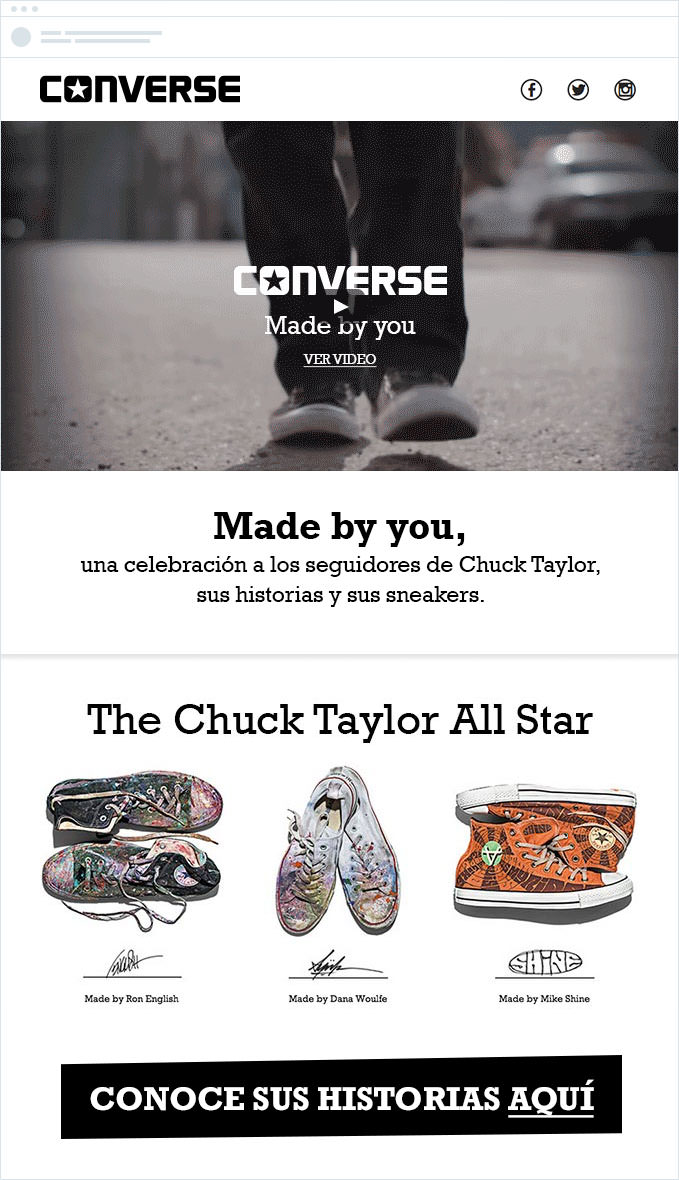
They even have the option to utilize our dynamic content feature to modify the language in the email, based on their subscriber’s location.
Delivering targeted content is a smart marketing move because personalized emails are proven to have higher click-through rates—to the tune of 14%.
By integrating your accounting tool with your email marketing software, you’ll have the information you need to create these kinds of engaging campaigns that generate results.
Subscription renewal emails
If you have a sales team, then chances are they’re recording every closed deal in your CRM along with the date they closed it.
When integrated with your email marketing tool, this information becomes incredibly valuable at renewal time. You can send customers an automated email series in the lead-up to their renewal date, reminding them of the impending renewal and encouraging them to take action.
Birchbox does an excellent job of this.
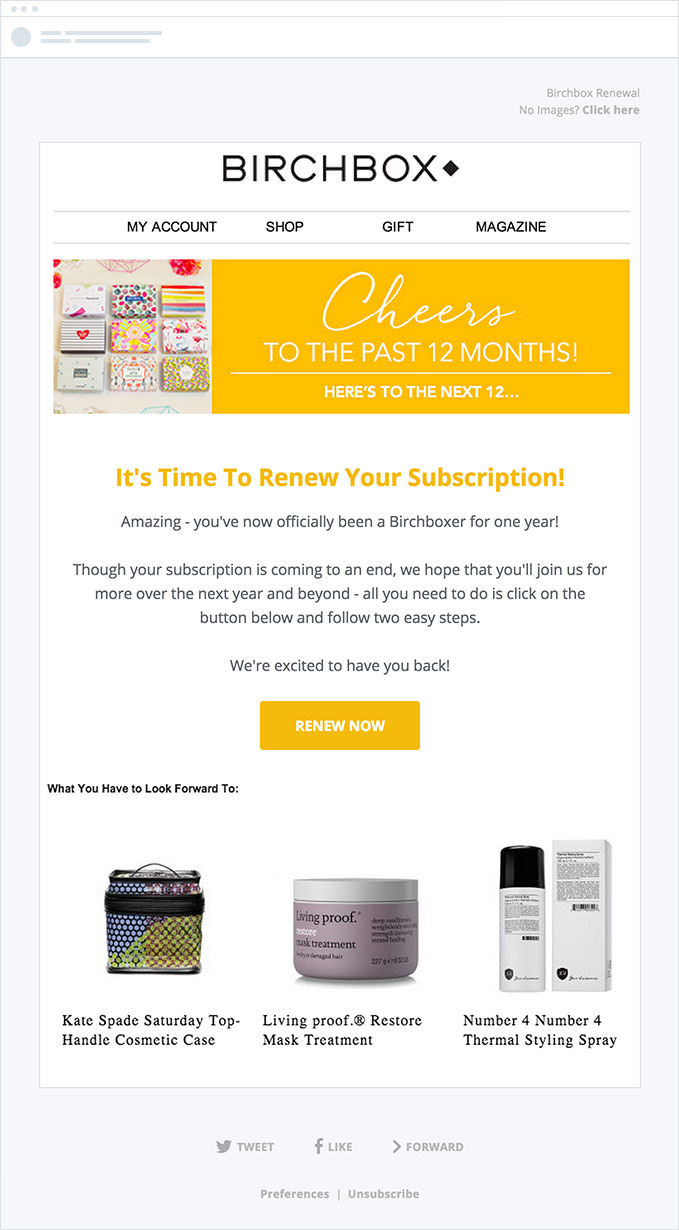
They send a beautiful branded email reminding their customers that their subscription will expire soon. They provide a clear call to action for customers to renew their subscription and even add a sneak peek at a few products that the subscriber has to look forward to if they decide to renew.
This kind of automated email is simple to set up when your tools are integrated, and helps you generate more revenue from your existing customers.
Chapter 8
Wrap up
By integrating your business apps with your email marketing tool, you can start sending your leads and customers a variety of compelling campaigns that can help you close more deals and drive more revenue from your existing customer base.
Go ahead and use the ideas and tools mentioned here to set up an integration today.
If you liked reading this guide, you may enjoy our blog about the most used email apps.

Press CMD+D to Bookmark this page

Plan their path
With powerful segmentation, easily create customized journeys for your subscribers.
Learn More
Case Study
With hyper-personalized emails, Bluetent experiences huge wins in the hospitality space.
Learn how
The email platform for agencies
We started out helping agencies with email, so let us help you.