7 minute read time
Before you hit send: Your simple presend checklist

You know the feeling. Your finger hovers over the send button, and suddenly every detail deserves one more look. Did you check every link? Is that subject line any good? What if you’re sending this out to the wrong list?
Some marketers deal with presend anxiety by working through impossibly long checklists that take longer than building the campaign itself. When a checklist is too complex, it gets rushed or skipped entirely.
Here, we’re outlining a better approach designed to catch common email errors. It’s a fast, reliable routine that gives you the confidence to hit send.
Why you need a presend checklist (even if you use an email service provider)
Modern email platforms have impressive safety features, but they can’t replace human judgment. Here’s why it pays to use a simple checklist before you hit send.
The cost of email mistakes
Email errors are more common than you’d think, and most are easy to avoid. Mistakes can range from a small typo to sending the wrong message to the wrong audience. Sending campaigns to the wrong segment can affect subscriber trust. A broken link can interrupt a customer’s experience and cost you clicks, and insensitive language or a joke that misses the mark can hurt your brand’s reputation.
Unlike a social post that you can edit or delete, a mass email goes out all at once, so a final review before you send is always worth it.
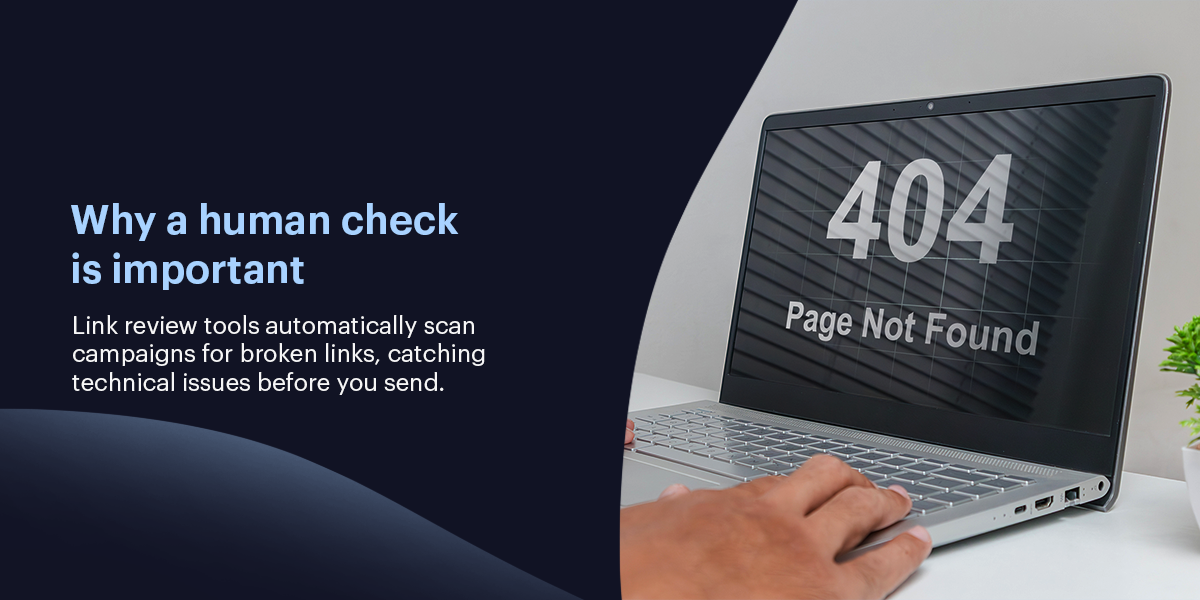
Why a human check is important
Link review tools automatically scan campaigns for broken links, catching technical issues before you send. Software excels at catching technical errors, but judgment calls require human oversight. A tool can verify a link works, but can’t tell you if it’s the right link for your goal. The final human check catches issues with context and nuance that no tool can.
The 5-3-1 presend framework
Here’s how the framework breaks down into three tiers based on urgency and relevance:
- 5 must-checks: These are your essentials. If you only have a few minutes before an email needs to go out, do these.
- 3 optional checks: Important for specific scenarios like A/B tests, but it’s okay to skip them if they don’t apply.
- 1 final verification: A 30-second sanity check that catches errors you might’ve become blind to after reviewing the same content multiple times.
The 5 must-checks (do these every time)
Use the following email marketing checklist to catch the most common errors before you send:
- Test every link and call to action: Click every link in your test email, including social icons, view-in-browser, and unsubscribe. A broken link can cost you clicks and affect the customer experience you worked to create.
- Verify personalization: Personalization placeholders automatically fill in subscriber details, like a first name. Send a test to confirm they’re working correctly. If they break, subscribers see raw code, like “Hello FIRST_NAME,” quickly removing any pretense of real personalization from your organization. Personalized campaigns can deliver six times higher transaction rates. Teams can also personalize their emails with custom fields that store additional subscriber details so you can easily tailor your messaging.
- Review subject line and preheader text: Check for typos, clarity, and mobile character limits. Read it aloud to catch awkward phrasing. Does the preheader support the subject line?
- Confirm you’re sending to the right list: Double-check the segment you selected in your email campaign checklist. Before you send, confirm you’ve excluded anyone who unsubscribed or opted out.
- Check for audience-message fit: Are you sending the email to the right audience? Some contacts shouldn’t receive a specific email even if they’re technically on your list. For example, sending discounts to customers who already paid full price for a product or service can impact trust and leave a bad taste. Check our knowledge base article to review the fundamentals of email segmentation and better understand the process.
- Mobile preview and render test: Sixty percent of emails are opened on mobile devices. Use your email service provider’s mobile preview and send a test to your phone. Check readability, image rendering, and whether your buttons and links are easy to tap on a small screen. Learn how to test your email campaigns across devices.
The 3 optional checks (if time permits)
Include these in your presend checklist when relevant:
- Spam score and deliverability: If you’ve had deliverability problems, review your spam score, a rating that predicts how likely your email is to land in a junk folder, before launch. Explore ways to improve your email deliverability.
- A/B test setup: If you’re running an A/B test, where you send two versions of an email to see which one performs better, confirm what you’re testing, how large your test group is, and how you will determine the winner.
- Accessibility review: Verify color contrast and confirm images have alt text. Incorporating accessible email design benefits everyone.
The 1 final verification
Try one (or all) of these final verification methods for peace of mind:
- The step-away technique: Leave your desk for a few minutes. Return with a fresh perspective.
- The recipient role-play: Read as if you’re receiving it. Is this valuable? Is the point clear?
- The fresh eyes scan: Ask a colleague to scan it. They’ll spot errors you’re blind to.
- The go and no-go decision: If anything feels off, don’t send. It’s better to delay a few minutes than to deal with extra cleanup.
Common presend mistakes and how to avoid them
Even with a solid email checklist, a few common habits can trip you up:
- Rushing through the checklist: Build the five-minute check into your workflow as a required step.
- Only testing on one device: Use preview tools and send tests to your phone and secondary accounts.
- Assuming automation means no review: Audit automated campaigns quarterly to ensure accuracy.
- Not documenting recurring issues: If the same mistake happens twice, document it and add a checkpoint to prevent it from happening again.
How Campaign Monitor makes presend checks easier
A platform like Campaign Monitor can transform your presend checklist into a fast, integrated workflow with features like:
- Link Review: Automated first pass for catching broken links before manual checks.
- Mobile Preview and Inbox Preview: See how your email renders across devices and clients.
- A/B Testing Suite: Set up your test, define what you’re testing, and let the platform automatically select a winner.
- Segmentation and Personalization: Tools for getting the right message to the right person.
Why trust Campaign Monitor?
We built this framework from nearly two decades of helping marketers send billions of emails. Since 2004, email marketing has been our only focus. Businesses worldwide trust our platform to power their email marketing. We’ve seen every mistake and built our platform specifically to help you avoid them.
Our commitment to excellence has been recognized by G2 Crowd, Fortune, and Forbes, but what matters most is helping you send better campaigns. We help businesses cut through digital noise with clear, relevant communication. Our platform combines intuitive design with powerful email tools, enabling you to deliver the right message to the right audience at the right moment. By simplifying sophisticated workflows, we empower businesses to build meaningful relationships that drive measurable growth.
Get started with Campaign Monitor
A simple, consistent presend process is the foundation of confident email marketing. The 5-3-1 framework gives you a repeatable routine you can use before every campaign to protect your brand and help ensure your message lands exactly as intended.
Campaign Monitor’s platform makes this framework even easier to execute. From Link Review to personalization tools, our suite helps you catch errors fast and send with confidence.
Sign up for Campaign Monitor to simplify your presend process and send emails that connect and convert.